Electricity Cost Calculator
Estimate the running cost of an appliance from its power, usage, and your tariff.
Step-by-step calculation
- Energy = (1500 W × 8 h × 30 days) ÷ 1000 = 360 kWh
- Cost = 360 kWh × 0.16 = 57.6
Formula
Input definitions
| Symbol | Input | Unit | Meaning & code relevance |
|---|---|---|---|
| P | Appliance Power | W | Active electrical or mechanical power transfer (W) dissipated or delivered to the load. |
| hrs | Hours per Day | hrs/day | Continuous or daily operating duration over which power consumption or battery discharge is integrated. |
| $/kWh | Utility Tariff Rate | $/kWh | Utility billing energy rate per kilowatt-hour (kWh) used to project operating electricity expenditure. |
| days | Days | days | Engineering input parameter for days measured in days, evaluated in real-time by the solver. |
Worked example
Monthly Running Cost of 1500 W Load
8 hours per day for 30 days at $0.16/kWh.
- Daily = 12 kWh × 30 = 360 kWh
- Cost = 360 × $0.16 = $57.60
Assumptions
- A flat energy tariff rate (cost per kWh) applies across the operating hours.
- Appliance wattage is treated as constant during the active hours per day.
- Annual cost projection assumes 365 days at the same daily schedule.
Limitations
- Excludes fixed monthly utility customer/standing charges, demand charges, and tiered block rate jumps.
- Time-of-Use (TOU) peak vs off-peak tariffs should be entered using the tariff active during the hours the appliance runs.
How it works
Multiplies total kWh energy consumption over the period by your utility tariff per kilowatt-hour.
When to use it
- Estimating daily, monthly, and annual utility bill cost from appliance wattage, hours of use, and electricity tariff rate ($/kWh, €/kWh, or £/kWh).
- Comparing operating costs between Time-of-Use (TOU) off-peak night rates and peak afternoon tariff windows.
- Calculating the financial payback period of upgrading to higher-efficiency heat pumps, variable-speed pool pumps, or LED lighting.
Practical real-world applications
- Space Heater vs. Heat Pump Cost Comparison: Quantifying the monthly bill impact of running a 1,500 W portable electric heater 8 hours/day at $0.18/kWh ($64.80/month).
- Pool Pump & Dehumidifier Auditing: Estimating seasonal electricity expense of continuous 24/7 basement dehumidifiers or single-speed pool filter pumps.
- Data Center & Crypto / Server Cost Modeling: Projecting annual electricity expenditure including cooling overhead for continuous 24/7 IT equipment.
Original Editorial Review & Technical Evaluation
Calculates daily, monthly, and annual running electricity expense from device power (W / kW), daily usage hours, and local utility cost per kWh.
Homeowners comparing appliance running costs, small-business owners budgeting equipment overhead, and HVAC/pool-pump shoppers.
- Breaks down running cost per hour, day, month, and year cleanly in local currency units
- Pairs projected kWh totals with tariff rates so high-draw vs. standby loads are easy to compare
- Evaluates ROI payback for LED, heat-pump, and variable-speed equipment upgrades
Accuracy & methodology: Computes pure volumetric energy expense (kWh × Rate) assuming a flat per-kWh tariff across all operating hours. Time-of-Use (TOU) peak/off-peak schedules, utility demand charges ($/kW), taxes, and fuel-adjustment riders are not included unless entered as an effective blended rate. Computational standards →
What to verify independently: Check your utility rate schedule for TOU peak windows, tiered baseline blocks, and fixed monthly customer charges before finalizing payback budgets.
Put the numbers to work with the Power Calculator, Electrical Energy Calculator and kWh Calculator. For the background behind the numbers, read Best EV Chargers of 2026: Home & Field Guide and Solar System Sizing: Panels, Batteries and Controllers.
Common mistakes
- Entering the electricity tariff rate in cents (e.g., 16) when the input field expects dollars per kWh (0.16), which inflates the calculated bill by 100×.
- Using only the base generation rate from a utility bill while omitting transmission/delivery per-kWh riders, taxes, and tiered baseline surcharges.
- Assuming thermostatically controlled appliances draw full nameplate wattage 100% of the time they are plugged in.
Safety & code notice
Calculator results are planning estimates. Always verify electrical designs against applicable local codes, standards (NEC / IEC), and consult a qualified professional.
Frequently asked questions
Related Calculators
Power Calculator
Calculate active, apparent, and reactive power from voltage, current, or PF.
Electrical Energy Calculator
Calculate electrical energy use in joules, Wh, and kWh from power and runtime.
kWh Calculator
Convert appliance wattage and daily hours into daily, monthly, and annual kWh.
EV Charging Cost Calculator
Calculate home and public EV charging session cost, wall kWh, and cost per mile.
Related Unit Converters
kW to Watts Converter (Kilowatts to Watts)
Convert kilowatts (kW) to watts (W), megawatts, and mechanical horsepower (HP).
Watts to kW Converter (W to Kilowatts)
Convert watts (W) to kilowatts (kW), horsepower, and BTU/hr for load sizing.
Electrical Energy Converter (kWh, Wh, Joules, kJ, MJ, BTU)
Convert electrical and thermal energy between kWh, Wh, joules, kJ, and BTU.
Electrical & Thermal Power Converter (W, kW, MW, HP, BTU/hr)
Convert between watts, kilowatts, megawatts, horsepower, metric PS, and BTU/hr.
Related Engineering Guides
Recommended Clamp Meters & Diagnostic Tools for Power & Load Verification
Measure per-phase feeder current and line voltage with a CAT III/IV True-RMS clamp meter and trace branch circuit breakers before balancing panelboard loads.
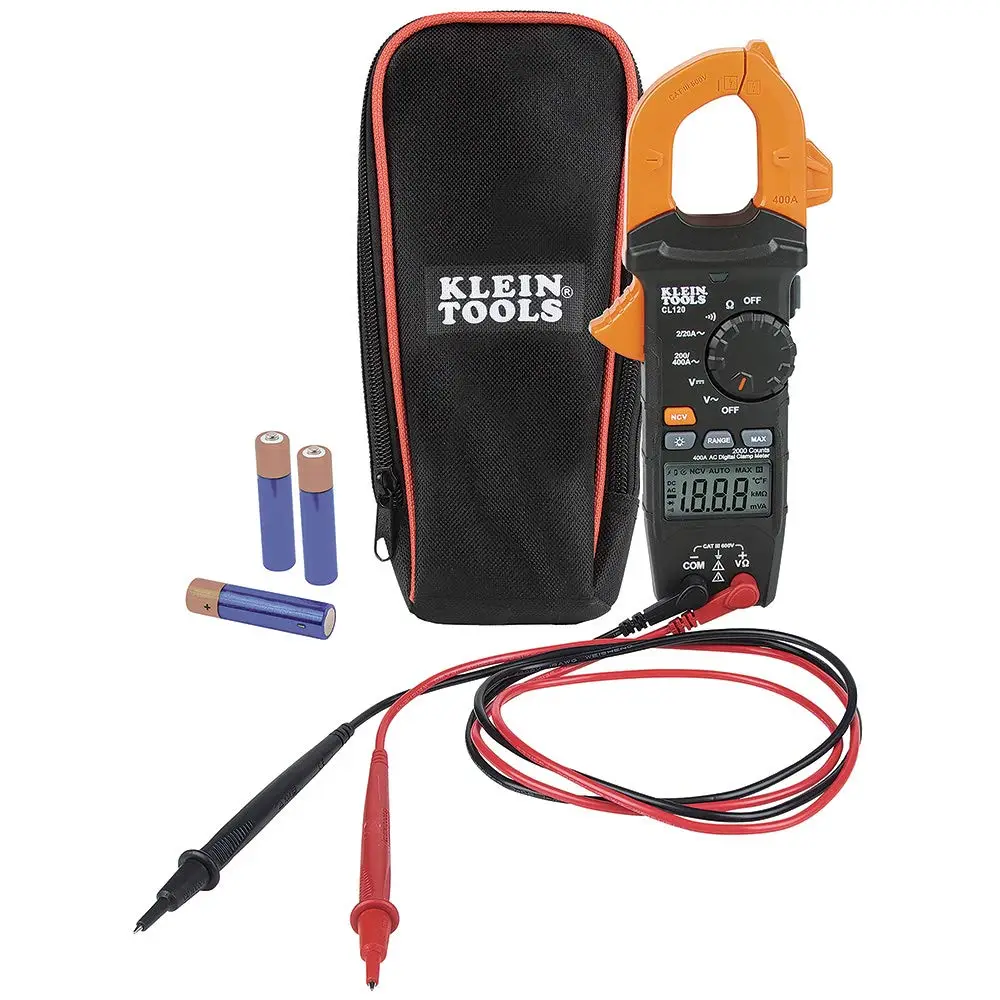
Klein Tools CL120 Auto-Ranging Clamp Meter
Auto-ranging 400 A AC clamp with NCV detection — choose the function and let the meter pick the range.
- Auto-ranging — select the measurement type and the meter picks the range, so no overload indications and no dial-fiddling at the top of a ladder.
- 400 A AC clamp — covers domestic and light commercial circuit current, measured without breaking the circuit.
- 2000-count display with backlight — resolution fine enough for small loads, and readable in a dark consumer unit.
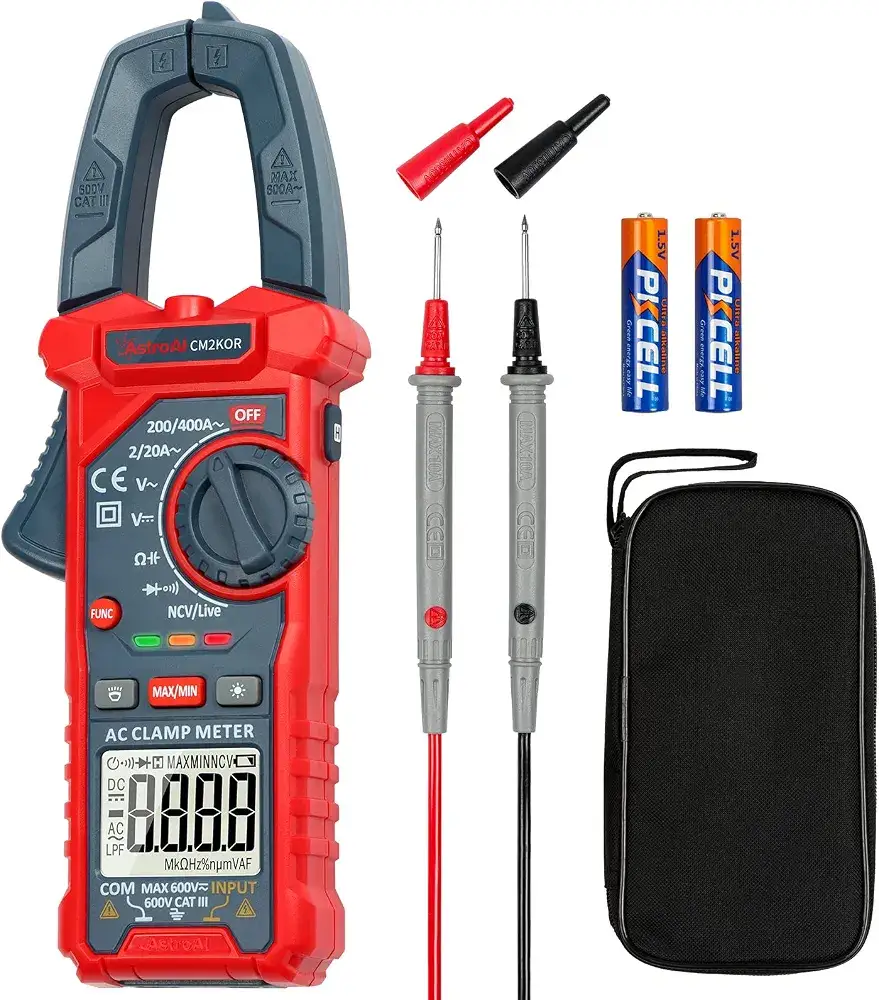
AstroAI CM2KOR AC Clamp Meter
A 600 A AC clamp with a CAT III 600 V rating and an NCV indicator — current measurement without breaking the circuit.
- 600 A AC clamp — read the current in a live conductor by closing the jaws around it, without breaking the circuit or touching anything metal.
- CAT III 600 V safety rating — rated for measurement on fixed installation wiring and at the distribution board, not just at a socket.
- NCV live-wire indicator with coloured lights — sweep the jaw past a cable and a red, orange or green indicator plus a buzzer tells you whether it is live before you commit to touching it.
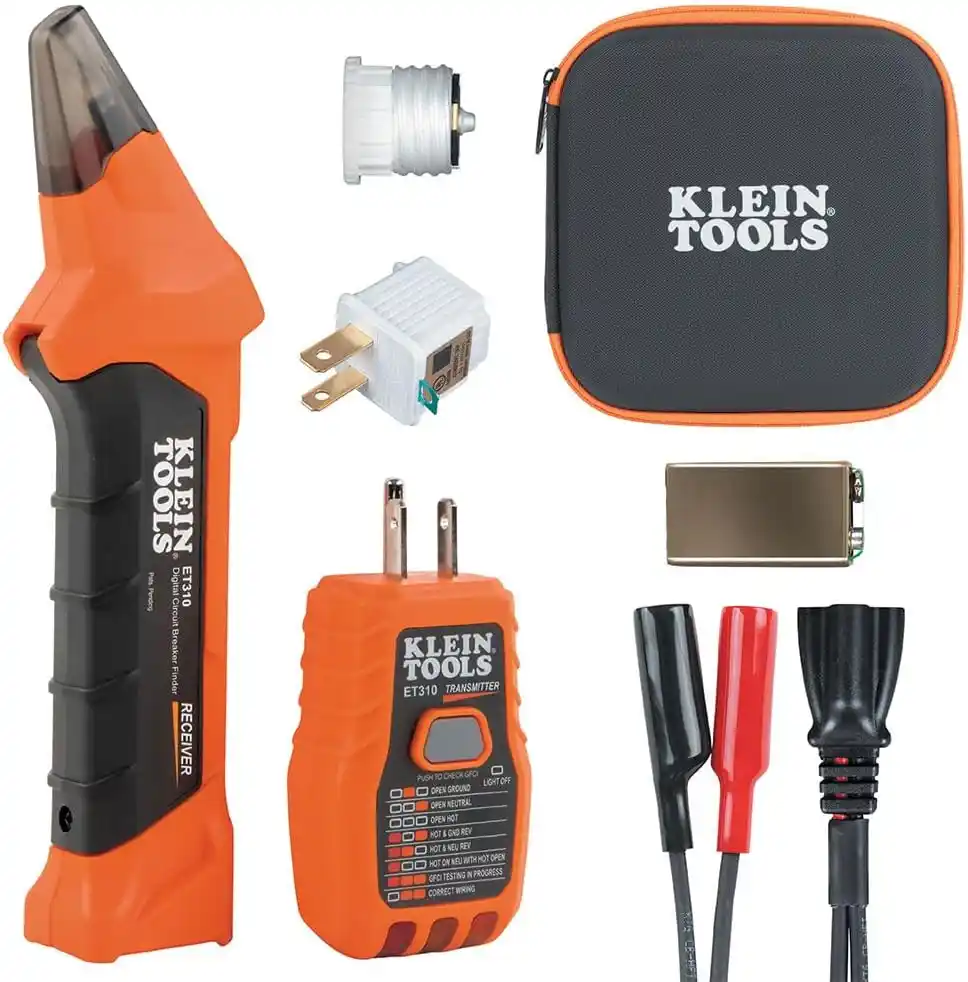
Klein Tools ET310 Circuit Breaker Finder Kit
Finds the breaker feeding a circuit without shutting the panel down — the transmitter plugs into the outlet, the receiver traces it back.
- Transmitter and receiver pair — plug the transmitter into the socket, then sweep the receiver across the panel to identify the matching breaker.
- Wiring status indicator on the transmitter — the same open ground, open neutral, open hot, reversed hot/neutral and reversed hot/ground checks as a standard outlet tester.
- GFCI test button — trips a GFCI device to confirm it is actually protecting the circuit, not just installed.
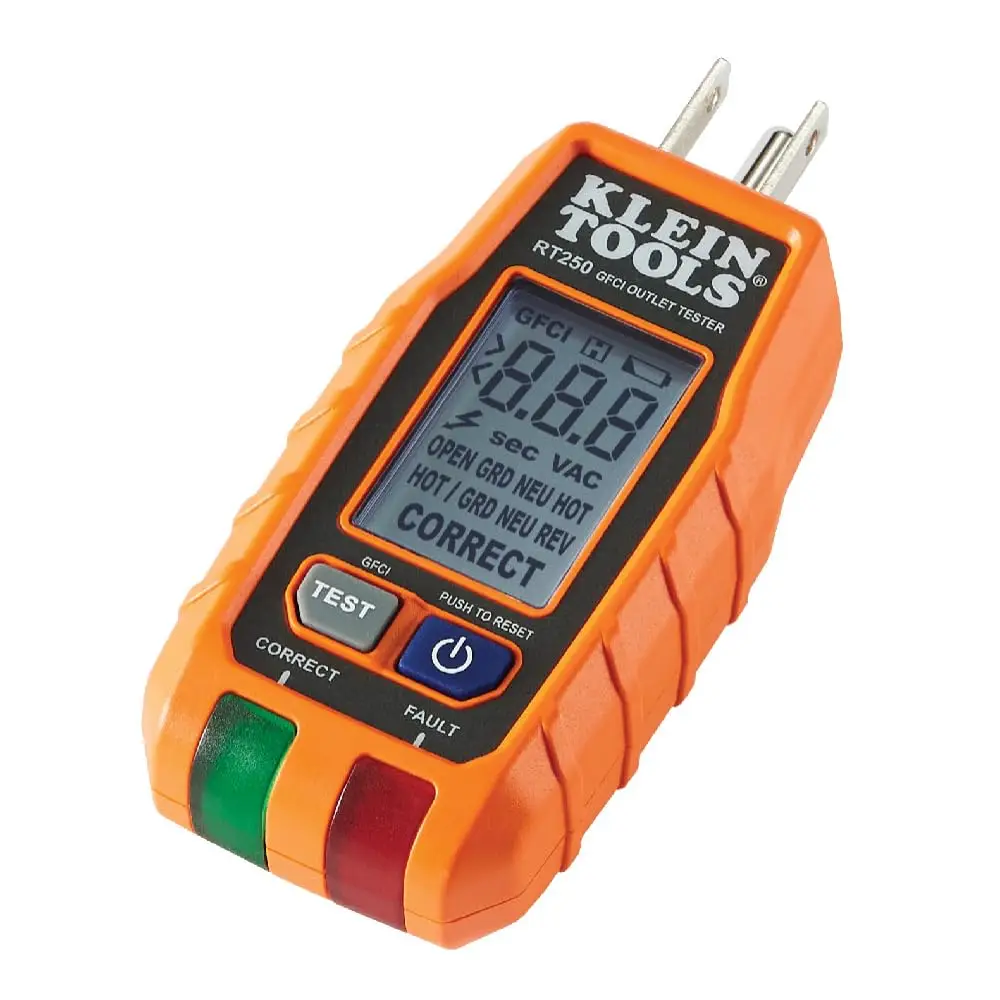
Klein Tools RT250 GFCI Receptacle Tester
An outlet tester with a screen: it shows the voltage and times the GFCI trip, so you get a number rather than a pass or fail.
- LCD screen showing the supply voltage — confirms what is actually at the outlet rather than assuming nominal voltage.
- GFCI trip time displayed in seconds — shows how long the device took to interrupt, so a slow or marginal GFCI is visible rather than hidden.
- Full wiring fault checks — open ground, open neutral, open hot, hot/ground reversed and hot/neutral reversed, on screen.