Klein Tools RT250 GFCI Receptacle Tester
An outlet tester with a screen: it shows the voltage and times the GFCI trip, so you get a number rather than a pass or fail.
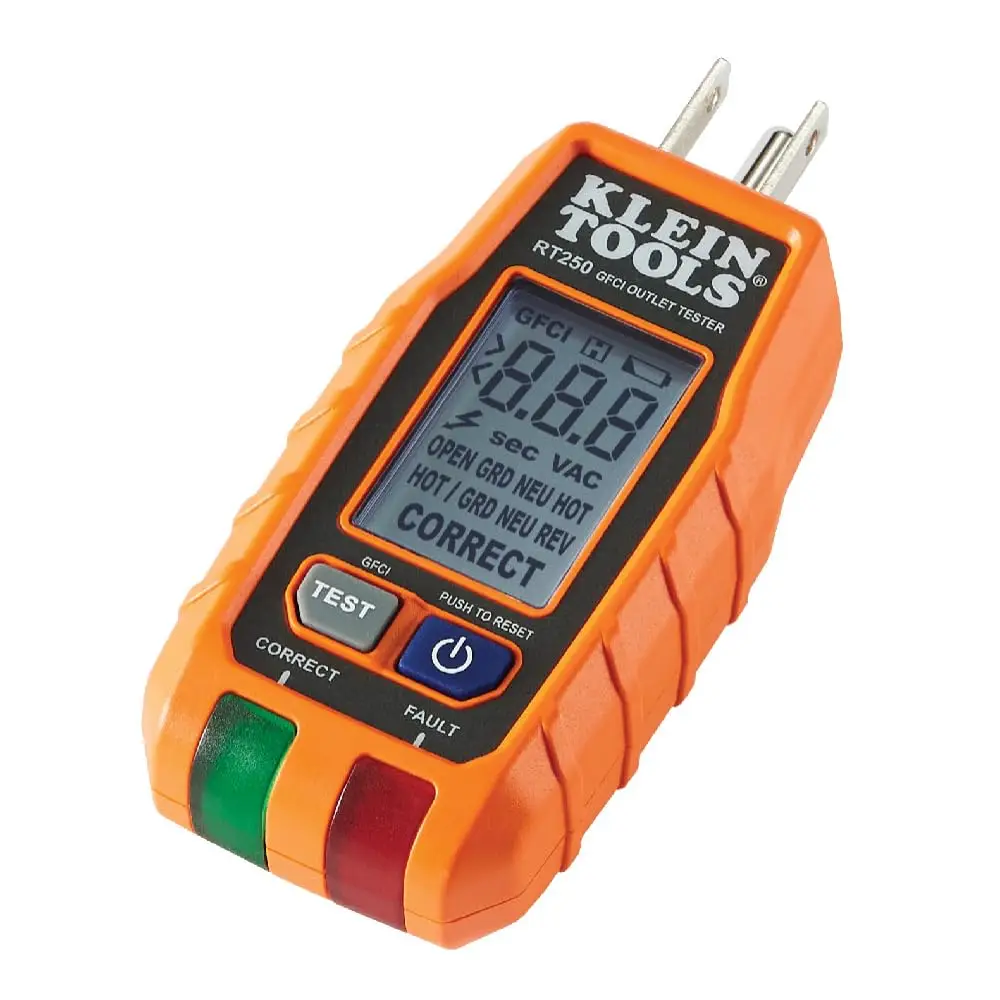
A GFCI receptacle tester with an LCD screen that displays the supply voltage and the time a GFCI takes to trip, alongside the standard wiring fault checks.
- Backlit LCD shows live line voltage
- Displays GFCI trip time in milliseconds
- Plain-text fault readout reduces guesswork
Affiliate Disclosure: VoltCalc may earn a commission from qualifying purchases made through product links at no extra cost to you. Product specs and availability are for reference and may change.
Field Overview
A basic outlet tester gives you a verdict: correct, or one of five faults. That is enough most of the time, but it leaves two questions unanswered. What is the voltage at this socket, and how quickly did that GFCI actually trip? Both matter — an outlet sitting at 105 V under load points to a problem somewhere upstream, and a GFCI that takes far too long to trip is not protecting anyone properly. The RT250 answers both. It has a screen, so it displays the supply voltage and times the GFCI interruption instead of just lighting a lamp.
Detailed Feature Breakdown
- LCD screen showing the supply voltage — confirms what is actually at the outlet rather than assuming nominal voltage.
- GFCI trip time displayed in seconds — shows how long the device took to interrupt, so a slow or marginal GFCI is visible rather than hidden.
- Full wiring fault checks — open ground, open neutral, open hot, hot/ground reversed and hot/neutral reversed, on screen.
- Two indicator windows plus the display — a clear green or red result alongside the numbers.
- Powered by the circuit under test — no batteries, and an auto power-off so it is ready when you need it.
Performance & Practical Use
The screen changes how you use it. Instead of plugging in, reading a colour and moving on, you get two useful numbers — the voltage and the GFCI trip time — which makes it a genuine diagnostic tool rather than just a fault indicator. It is quick to use, and being able to note the trip time is handy when you are checking a batch of GFCIs and want to spot the one that is slow. The trade-off is cost against the plain RT210, which catches the same wiring faults for a fraction of the price. If you do not need the numbers, the screen is money you do not have to spend.
How It Compares
Against the RT210, you are paying for the display: the same fault checks plus voltage and GFCI trip time as numbers. Against a full installation tester, it is still a quick first check rather than a replacement for earth loop and insulation testing.
Pros
- Displays the supply voltage at the outlet
- Shows GFCI trip time in seconds
- Full wiring fault checks on screen
- No batteries needed
- Useful for recording results across a job
Cons
- Costs more than a plain LED outlet tester
- Still cannot confirm ground impedance or insulation resistance
- Screen adds bulk compared with a basic tester
VoltCalc Verdict
Buy the RT250 if you want to know the voltage at an outlet and how long a GFCI takes to trip, not just whether it tripped at all — it turns a routine check into something you can actually record. If you only need to catch reversed wiring and confirm GFCIs operate, the RT210 does that for much less. Either way, remember both are quick checks, not substitutes for proper installation testing.